Open‑E Technical Solutions
Cloud & Hybrid Data Storage
Share, synchronize and protect your data using cloud infrastructure, utilizing a data storage solution ready and optimized for the cloud environment.
Data Storage for Virtualization
Simplify, enhance and reduce operational costs of your storage environment with data storage software that works well with the VMware, Citrix, and Microsoft virtualization platforms.
Ransomware-Proof Data Storage
Protect your business against the effects of ransomware attacks thanks to frequent snapshots and advanced retention plans.
NAS filers & SAN
Keep your data centralized and easy to store while having the ability to search and share information throughout the organization with the massive capacity file (NAS), or block (SAN) data storage filers.
iSCSI Solutions
Create a high-performing, cost-effective and secure iSCSI data storage solution connected via Ethernet.
Fibre Channel (FC) Solutions
Create a reliable, high-performing, and low?latency FC data storage solution with software brought to you by Open?E that simplifies configuration processes and maintenance tasks.
Open‑E Solutions for Market Segments
Education
Check the data storage solutions page for academic, research and educational institutions.
Media & Entertainment
Check the data storage solutions page for film studios, record labels, creative agencies, media companies, video game developers, and more.
Government & Public
Check the data storage solutions page for the local administration, military & police agencies, tax offices, and other government institutions.
Data Centers
Check the data storage solutions page for data center and IT service providers.
Hospitals & Healthcare
Check the data storage solutions page for both public and private hospitals, as well as other healthcare service providers.
CCTV & Surveillance Cameras
Check the data storage solutions page for CCTV and monitoring camera systems
Check out our latest information
 Press Release
Secure & Seamless Data Migration with Helix MARS Migration JBOD
Open-E and Helix International launch the Helix MARS Migration JBOD offering secure, efficient, and reliable large-scale data migration.
 Blog
Blog
Business Benefits of Using Open-E JovianDSS as a Data Storage Solution for Proxmox Virtual Environment
A single decision made by your hardware or hypervisor provider can unexpectedly restrict your business agility. A strategic approach involves adopting technologies that deliver both robust performance and operational flexibility, …
 Blog
Blog
Benefits of Using Open-E JovianDSS in Various Market Segments
The world of technology develops so fast these days that it can become challenging to keep up with the updates. In multiple spheres surrounding us, there are various data storage …
 Solution
HIPAA Readiness with Open-E JovianDSS
Open-E JovianDSS delivers robust data protection features that help healthcare organizations align with HIPAA security requirements.
Want to Learn More?
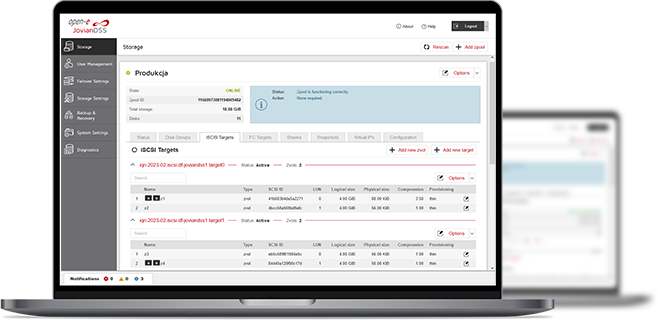
3-in-1 Complete Data Storage Solution
Accelerate Your Data Storage with ZFS-based Storage System

Find the Exact License for Your Storage Setup
This calculator helps you to find the exact license required for your storage setup with Open-E JovianDSS, based on your individual specification.
Enter the configuration of your choice into the calculator and generate a PDF report.
Open-E Library