Enterprise SAN: High-Speed Block Storage Network
SAN system (Storage Area Network) is a high-performance storage solution that connects servers to storage devices using dedicated, high-speed protocols such as Fibre Channel (FC) or iSCSI. By operating on a network separate from standard LAN traffic, a SAN system reduces congestion, minimizes latency, and ensures consistent, high-throughput access to critical data.
This dedicated architecture makes SAN systems ideal for large-scale environments where performance, reliability, and availability are paramount. SANs deliver block-level storage, which allows servers to access storage as if it were directly attached, providing the speed and flexibility required for databases, virtual machines, and other I/O-intensive applications.
Benefits and Use Cases of a SAN System
A SAN system delivers high performance and low latency, making it well-suited for mission-critical workloads and applications that require rapid access to large volumes of data. Centralized management simplifies administration, enabling IT teams to fine-tune storage resources and reduce operational complexity. SAN systems are highly scalable, allowing organizations to expand storage capacity or performance as business needs grow.
SAN System Architecture and Capabilities
Architecture
A SAN system is built on a dedicated high-speed network, delivering block-level data storage directly to servers. It typically leverages disk arrays or tape libraries connected via Fibre Channel (FC) or iSCSI to ensure fast, reliable access for mission-critical applications.
Protocols
Using industry-standard block-level protocols such as Fibre Channel or iSCSI, a SAN system ensures efficient, high-performance data transfers tailored to demanding workloads.
Data Access
With block-level access, the storage behaves as if it were directly attached to the server, providing the speed, reliability, and low latency required for databases, virtual machines, and other high-IOPS applications.
Scalability
SAN systems are designed to grow with your organization. They can scale to massive capacities and support high-performance workloads by simply adding drives, shelves, or additional nodes, ensuring your storage keeps pace with business demands.
Management
Managed by skilled storage administrators, a SAN system offers fine-grained control over every resource, enabling centralized administration, enhanced reliability, and optimized performance across the enterprise.
Cost & Usage
Although SAN systems require a higher investment due to specialized hardware and networking, they deliver outstanding performance, scalability, and reliability, making them the ideal choice for enterprise databases, virtualization clusters, and mission-critical, data-intensive workloads.


Key Uses for SAN
SAN provides block-level storage over a dedicated storage network using advanced protocols such as Fibre Channel or iSCSI. While more complex to set up and administer, SAN is more reliable, secure, and high-performing, making it ideal for mission-critical applications and large enterprises. Common SAN use cases include:
- Data centralization for enterprise-scale environments
- Simplified storage management
- Reduced downtime and maintenance overhead
- iSCSI NAS leveraging existing LAN infrastructure
- Block-level database applications (e.g., Oracle)
- Block-level backups of Exchange databases
- Integration with iSCSI disk arrays over Ethernet
Check Open-E JovianDSS and Embrace Next-Gen Data Storage!
Unlock superior performance, reliability, and future-ready scalability with Open-E JovianDSS. Ensure your data storage technology meets the demands of tomorrow.
SAN FAQ
SAN System Basics
A SAN (Storage Area Network) is a dedicated, high-speed network that provides servers with shared block-level storage. This storage is presented to servers as local disks (LUNs), enabling applications to access data with low latency and high throughput.
SANs are commonly used for performance-critical workloads, such as databases, virtualization platforms, ERP systems, and other applications that require predictable performance and availability.
An external hard drive is a single storage data device connected directly to one computer, offering no sharing, redundancy, or centralized management.
A SAN provides shared, redundant block-level data storage accessible to multiple servers simultaneously. It includes centralized management, high availability, snapshots, replication, and enterprise-grade data protection features.
SAN provides block-level access, presenting storage as raw disks (LUNs) over a dedicated high-speed network (Fibre Channel, iSCSI, or FCoE). It is typically used for databases, virtualization, and transactional workloads
NAS provides file-level access, delivering shared folders via SMB or NFS over standard Ethernet. It is best suited for file sharing, backups, and unstructured data
A SAN provides centralized, shared block storage with high availability, consistent performance, and advanced data protection features, including snapshots, replication, and RAID.
It is essential for business-critical environments where downtime is unacceptable, and storage must be shared across multiple servers, such as VMware clusters or database failover configurations.
A standard SAN (often iSCSI or small-scale Fibre Channel) is designed for mid-size environments with moderate performance and scalability requirements.
An enterprise SAN is built for mission-critical workloads and large environments. It typically offers active-active controllers, non-disruptive upgrades, advanced data services (including thin provisioning and replication), predictable latency under load, and support for large server and LUN counts.
Hardware
Yes. A typical SAN deployment includes:
- Storage arrays with redundant controllers and RAID protection.
- SAN switches (for Fibre Channel or FCoE).
- HBAs or iSCSI-capable NICs in servers.
- A dedicated storage network fabric.
For iSCSI SANs, standard Ethernet switches and NICs can be used, but higher-performance deployments benefit from dedicated networks and quality-of-service controls.
Yes. Software-defined block storage platforms can run on commodity servers and aggregate local SSDs and HDDs into a shared data storage pool.
While these solutions can reduce dependence on traditional SAN arrays, they tightly couple compute and storage resources and require careful planning of performance, networking, and failure domains.
- Storage: Redundant controllers, RAID or mirroring, SSDs for performance-sensitive data.
- Network: Fibre Channel or high-speed Ethernet (10/25/100 GbE) for iSCSI.
- Servers: HBAs (for FC) or iSCSI-capable NICs, sufficient CPU, and RAM.
- Redundancy: Multipathing, redundant power supplies, and redundant network paths.
Scalability
Start by estimating current capacity requirements, then add 20–30% headroom for growth. Then size the SAN for the required IOPS, throughput, and latency.
Plan RAID groups, cache, and storage pools based on workload characteristics, and ensure the system supports future expansion without downtime.
Most enterprise SANs support both vertical scaling, by adding drives or expansion shelves, and horizontal scaling, by adding additional nodes or storage controllers to increase capacity and performance. With thin provisioning, LUNs can be over-allocated and expanded dynamically as physical storage is added, allowing growth without service disruption or data migration.
Thin provisioning allows LUNs to appear larger than the physical data storage initially allocated. Physical space is consumed only as data is written, improving utilization and simplifying capacity planning.
Performance
SAN performance can be improved by using all-flash or hybrid storage arrays, increasing the number of drives and selecting appropriate RAID levels, enabling read/write caching, upgrading the storage network to higher speeds (such as 16/32 Gbps Fibre Channel or 25/100 GbE for iSCSI), and using multipathing to provide load balancing and redundancy.
A SAN can support dozens to hundreds of servers and thousands of virtual machines, depending on available IOPS, throughput, and network bandwidth.
Enterprise SANs are designed to handle many concurrent, high-IOPS workloads with consistent latency.
SAN performance is directly influenced by network bandwidth and latency, with Fibre Channel (8/16/32 Gbps) or high-speed Ethernet required for demanding workloads. While iSCSI can run over standard Ethernet, 1 GbE may become a bottleneck; 10 GbE or higher is recommended for production environments.
Networking
Yes. SANs are widely used in virtualization (VMware, Hyper-V, KVM) and databases because they provide shared, low-latency, high-throughput block data storage, supporting features like live migration, clustering, multipath I/O, and consistent performance for transactional workloads.
- Fibre Channel (FC): Dedicated, low-latency, high-performance data storage networking.
- Fibre Channel over Ethernet (FCoE): FC protocol transported over Ethernet infrastructure.
- iSCSI: Block storage over Ethernet; cost-effective and flexible.
Zoning restricts which initiators and targets can communicate at the fabric level, while LUN masking controls which LUNs are visible to specific servers; together, they provide security, isolation, and protection against accidental or unauthorized data access.
Data Storage Management
SANs are ideal for databases and transactional systems, virtualized environments, high-performance enterprise applications, and any workload that requires low latency, high IOPS, and shared block-level storage.
SAN LUNs can be used as backup targets, particularly for disk-based backup workflows. Best practice is to combine SAN-based backups with separate backup data storage or immutable repositories to reduce ransomware and shared failure risks.
NAS systems typically support NFS (Linux/Unix), SMB/CIFS (Windows, macOS), FTP/SFTP (for file transfers), AFP (older macOS), and WebDAV (for web apps and mobile). They allow seamless file sharing across different operating systems and devices.
Data Storage Centralization
SAN consolidates data storage into a shared pool accessible by multiple servers, eliminating isolated local disks and DAS. It simplifies management, improves utilization, and enables consistent backup and disaster recovery policies.
Centralization reduces hardware sprawl, lowers power and cooling costs, and improves disk utilization through thin provisioning and tiering. It also simplifies backup, compliance, and administration, reducing operational overhead.
Define capacity, performance, and availability requirements:
- Select SAN type (FC, iSCSI, FCoE) and hardware.
- Design fabric redundancy and multipathing.
- Configure storage pools, RAID, and LUNs.
- Enable snapshots, replication, and backups.
- Migrate workloads gradually and monitor performance.
Access Control
SAN access is controlled using zoning and LUN masking. File-level permissions are managed by the operating system or various applications after the LUN is mounted.
Yes. Thin provisioning allows logical allocation limits, while some platforms support quotas and policies at the VM or application level.
SAN arrays typically do not use AD/LDAP for LUN access. However, management interfaces often integrate with AD/LDAP for administrator authentication and role-based access control.
Data Storage Protection
Yes. RAID or mirroring is essential to protect against disk failures and maintain availability.
Enterprise SANs use checksums and consistency checks to detect silent data corruption. Regular scrubs help identify and repair issues before they affect applications.
Yes. SANs commonly support snapshots for fast rollback and synchronous or asynchronous replication for disaster recovery.
Effective protection includes using read-only or immutable snapshots, maintaining isolated or air-gapped backups, enforcing strict zoning and LUN masking, implementing role separation and multi-factor authentication for management, and performing regular patching and monitoring.
A SAN cluster is required when downtime is unacceptable, and business continuity is a priority. If one controller or node fails, the remaining system continues processing data without interruption.
Monitoring
The SAN management interface can be used to monitor disk and RAID health, capacity usage and performance, network and fabric status, and alerts for failures or threshold breaches.
- Daily/weekly: Review alerts and capacity trends.
- Monthly: Run scrubs to detect latent errors.
- After changes: Validate performance and redundancy.
Best Practices
- Use RAID or mirroring for critical data.
- Follow the 3-2-1 backup rule with immutable copies.
- Use snapshots with defined retention policies.
- Monitor performance and capacity proactively.
Want to Learn More?
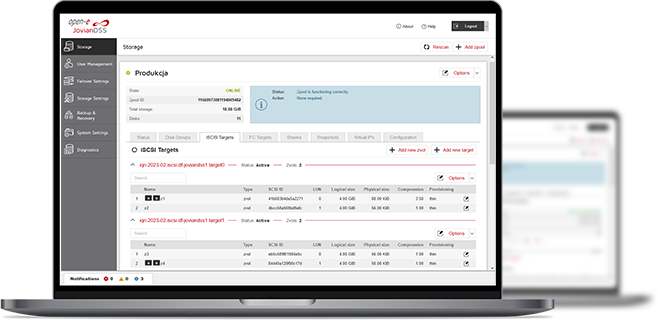
3-in-1 Complete Data Storage Solution
Accelerate Your Data Storage with ZFS-based Storage System

Live Demos with Open-E Engineers
- Several free online meetings - each discussing a different Open-E JovianDSS functionality.
- Chance to ask questions while and after the presentation.
- Opportunity to understand how Open-E JovianDSS works without any installation or setup.

Find the Exact License for Your Storage Setup
This calculator helps you to find the exact license required for your storage setup with Open-E JovianDSS, based on your individual specification.
Enter the configuration of your choice into the calculator and generate a PDF report.
Open-E Library